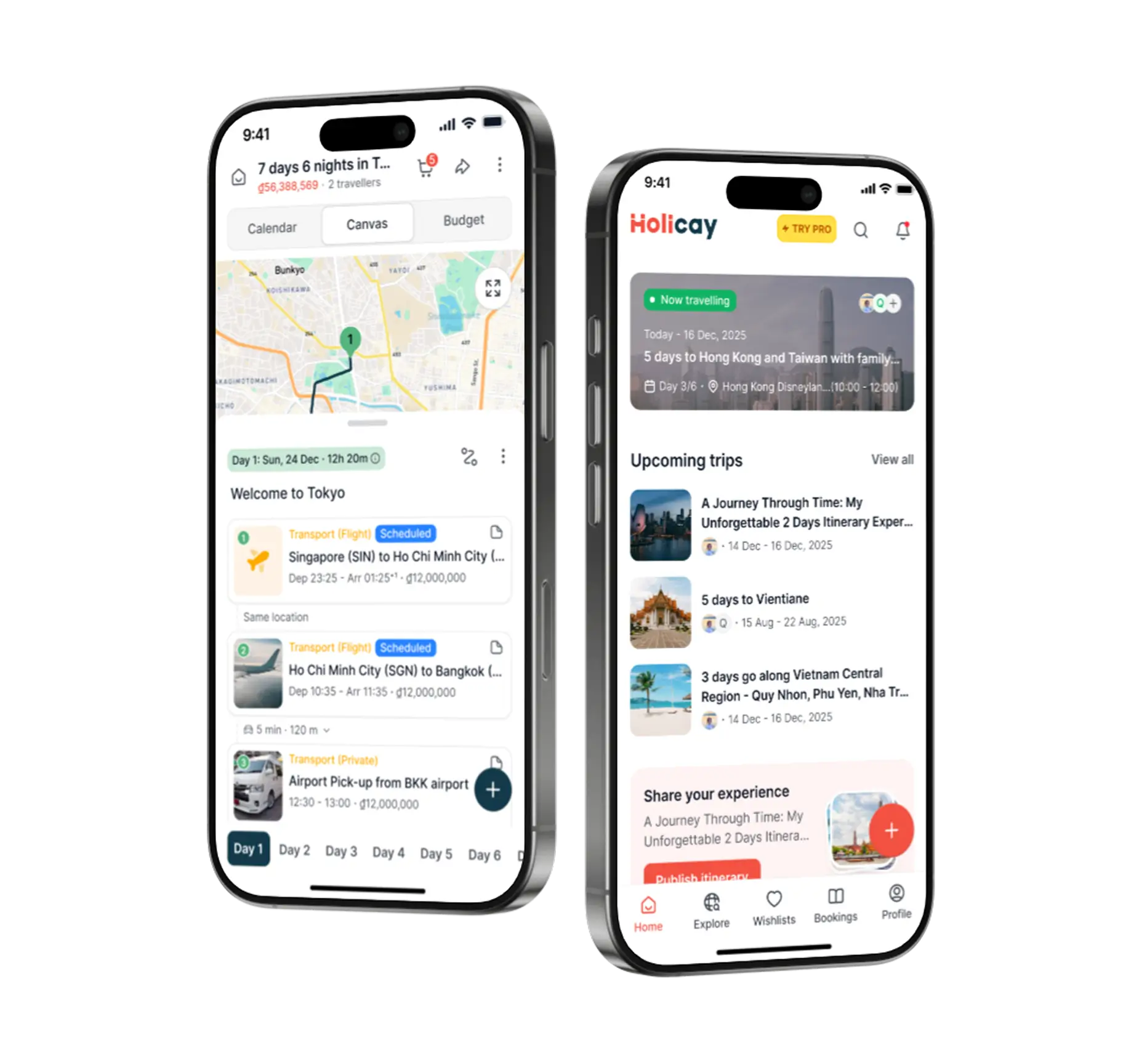
Quick Comparison: Holicay vs. Google Maps and Sheets at a Glance
Google Maps and Sheets are not designed specifically for travel planning, but many travelers use them together to piece together a workflow. Maps is used to save places and visualize locations, while Sheets is used to organize itineraries, budgets, and notes.

.svg.png)
.svg.png)
What is Google Maps + Sheets?
Google Maps and Google Sheets are often used together as a DIY trip planning workflow.
Google Maps is typically where people start. It is used to search for places, save restaurants and attractions, and get a sense of how locations are distributed across a city.
Google Sheets then becomes the place where everything is organized. Saved locations are manually transferred into a spreadsheet, arranged into a day-by-day plan, and expanded with details like timing, budgets, and notes.
This setup gives a high level of flexibility and control, but it also splits the planning process across multiple tools. The map and the itinerary are not connected, so any updates require manual coordination. As the trip evolves, keeping everything aligned depends entirely on how consistently the user maintains both tools.
How people usually plan trips today with Google Maps and Sheets
Most trips do not start with a dedicated travel planner. They start with a mix of tools that each handle a different part of the process.
It usually begins with discovery. People search for places on Google, social media, or blogs, and start saving locations into Google Maps. At this stage, the goal is simply to collect ideas and see what is nearby.
Once there are enough places saved, the focus shifts to organizing them. This is where Google Sheets comes in. Places are copied into a spreadsheet, grouped by day, and expanded with rough timings, notes, and budgets.
As bookings start coming in, another layer is added. Confirmation emails sit in the inbox, screenshots get saved, and links are pasted into the sheet. The itinerary slowly becomes a mix of structured plans and scattered information.
When planning with others, coordination happens in parallel through chat. People suggest places, make changes, and update the sheet, often without everything staying fully aligned.
By the time the trip is close, the plan exists across multiple tools:
- Google Maps for saved places
- Google Sheets for the itinerary and budget
- Email for bookings
- Chat for decisions and updates
.png)
Planning experience: from discovery to organization to booking
Planning a trip usually happens in stages. It starts with discovering places, moves into organizing those ideas into a workable plan, and eventually becomes about managing bookings and real details. The difference between Holicay and a Google Maps + Sheets workflow becomes clearer at each stage.
Discovery
Most people begin by saving places in Google Maps. It is quick, visual, and useful for understanding where things are. You build a list of restaurants, attractions, and landmarks, but it remains a loose collection of ideas.
Holicay supports the same discovery process, but those saved places are not isolated. As locations are added, they are already part of a trip workspace. This means discovery is not separate from planning. Places can immediately be grouped into days, compared against each other, and adjusted based on how they fit into the overall trip.
Organization
This is where the workflow typically shifts to Google Sheets. Saved places are manually transferred into a spreadsheet, assigned to days, and expanded with notes, timing, and budgets.
The limitation here is that the map and the plan are not connected. You are organizing a list, not shaping how the day actually works. If locations are far apart or timing does not make sense, it only becomes obvious after multiple rounds of adjustment between Maps and Sheets.
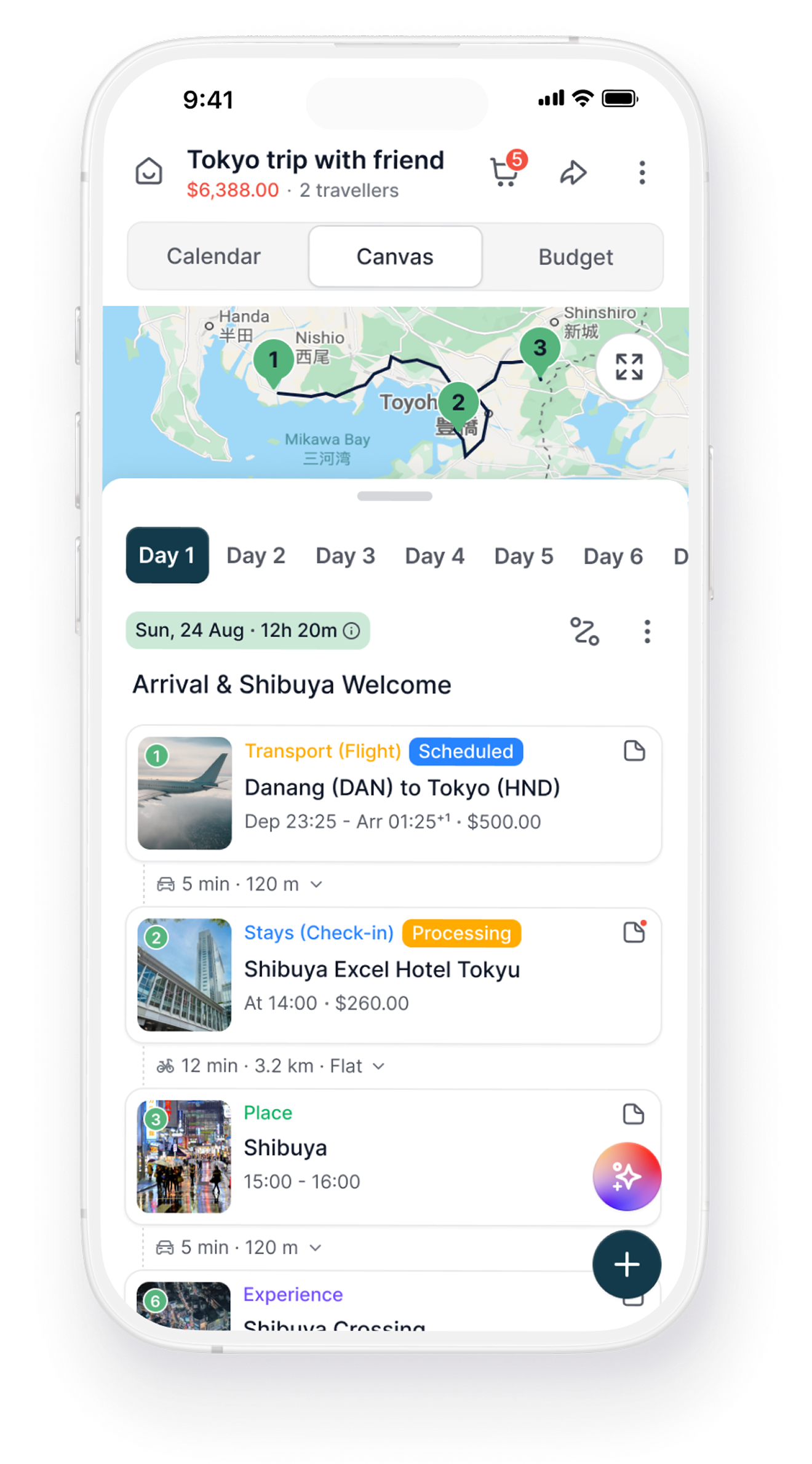
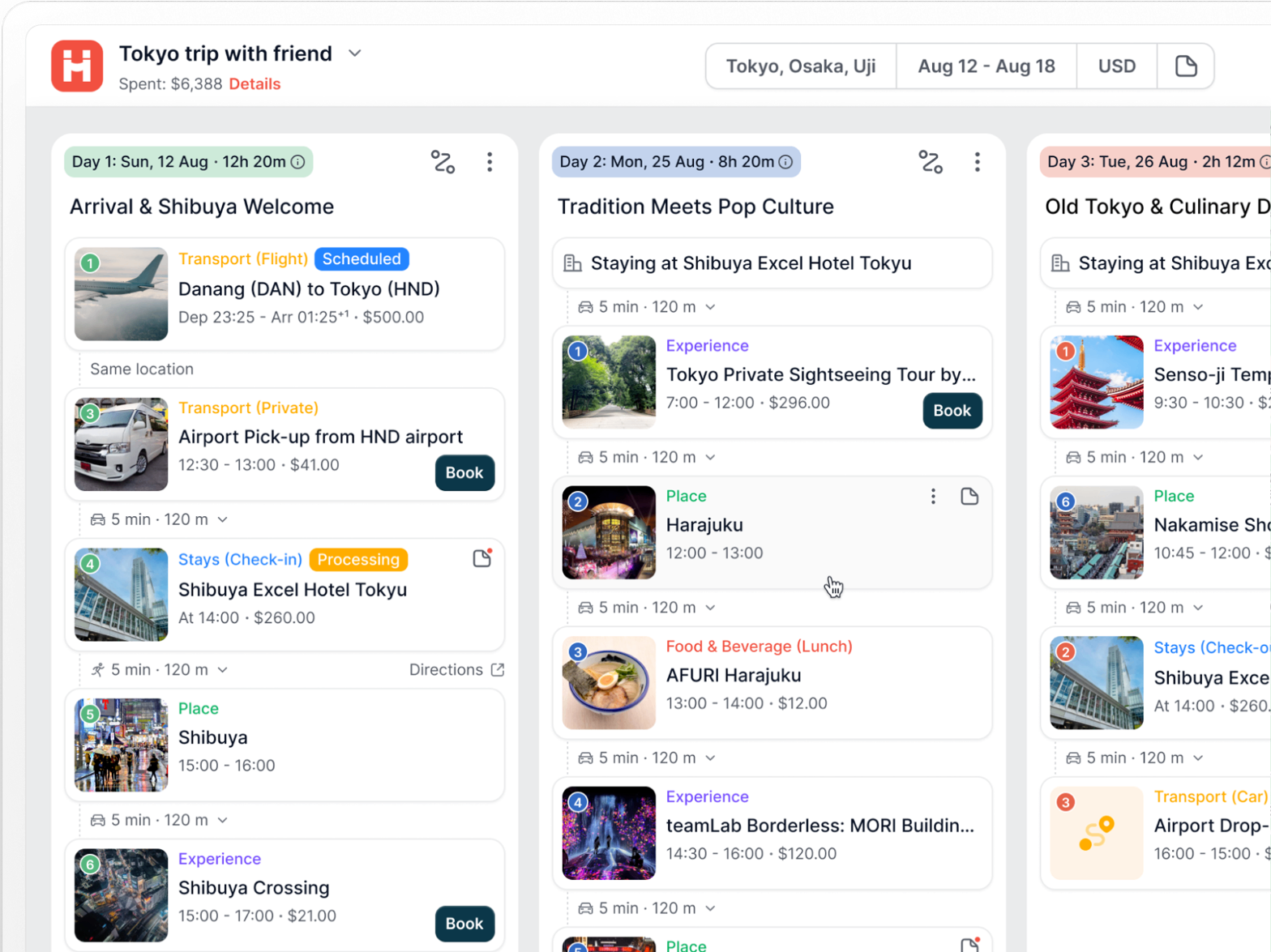
Holicay handles organization differently. The itinerary is built in a structured environment where locations, timing, and movement are considered together. As more items are added, you are not just arranging a list, but shaping a day that can realistically be executed. Changes do not require rebuilding the plan across tools because everything is already connected.
.png)
Booking and trip management
Once bookings start coming in, the complexity increases. In a Google Maps + Sheets workflow, confirmations remain in email, while key details are manually copied into the spreadsheet. Tickets, hotel bookings, and transport information are stored separately, and the itinerary becomes a reference rather than the source of truth.
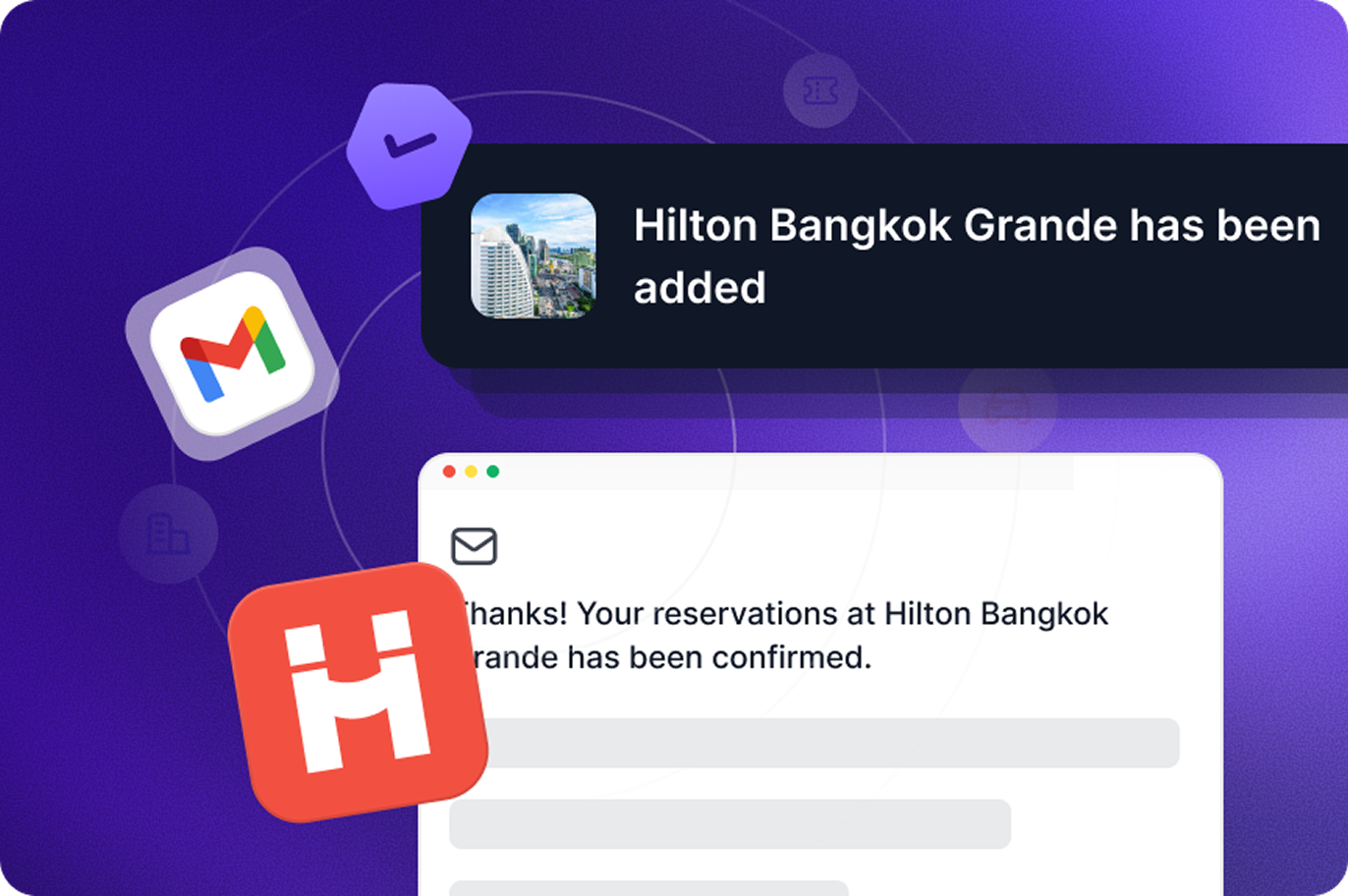
Holicay brings bookings directly into the trip. With Gmail auto-sync and email forwarding, confirmations can flow into the itinerary and attach to the relevant day or activity. A hotel appears across its stay dates, a flight sits on the travel day, and reservations are tied to the exact place they belong to.
This changes how the trip is managed. Instead of switching between email, spreadsheets, and maps, the itinerary becomes the central layer where planning, bookings, and decisions come together.
Overall difference in workflow
Google Maps and Sheets work well as a flexible, do-it-yourself system. They are strong for collecting ideas and organizing them manually, especially for simpler trips.
Holicay is built around the full journey from discovery to execution. It connects the different stages of planning into a single workflow, reducing the need to move information between tools and making it easier to adapt as the trip evolves.
.png)
Ai Chat Planning
Holicay's AI is designed to assist throughout the planning process, not just at the beginning. At the start, it can generate a rough itinerary based on a destination and number of days. But the more useful part comes after that, when the trip is already being built.
As your itinerary takes shape, the AI can work directly on it. Instead of giving suggestions that you need to manually apply, it can make structured changes within the trip itself.
For example, you can:
- refine a specific day by adding or replacing activities
- reorganize stops to reduce travel time
- adjust plans based on constraints like timing or distance
- generate backup options when conditions change
The key difference is that the AI is not separate from the trip. It is working within the same structure, so changes do not require copying, pasting, or rebuilding parts of the plan. Over time, this reduces the friction of making adjustments, especially when the itinerary is still evolving or when multiple factors need to be considered at once.
Maps, public transport and route optimization
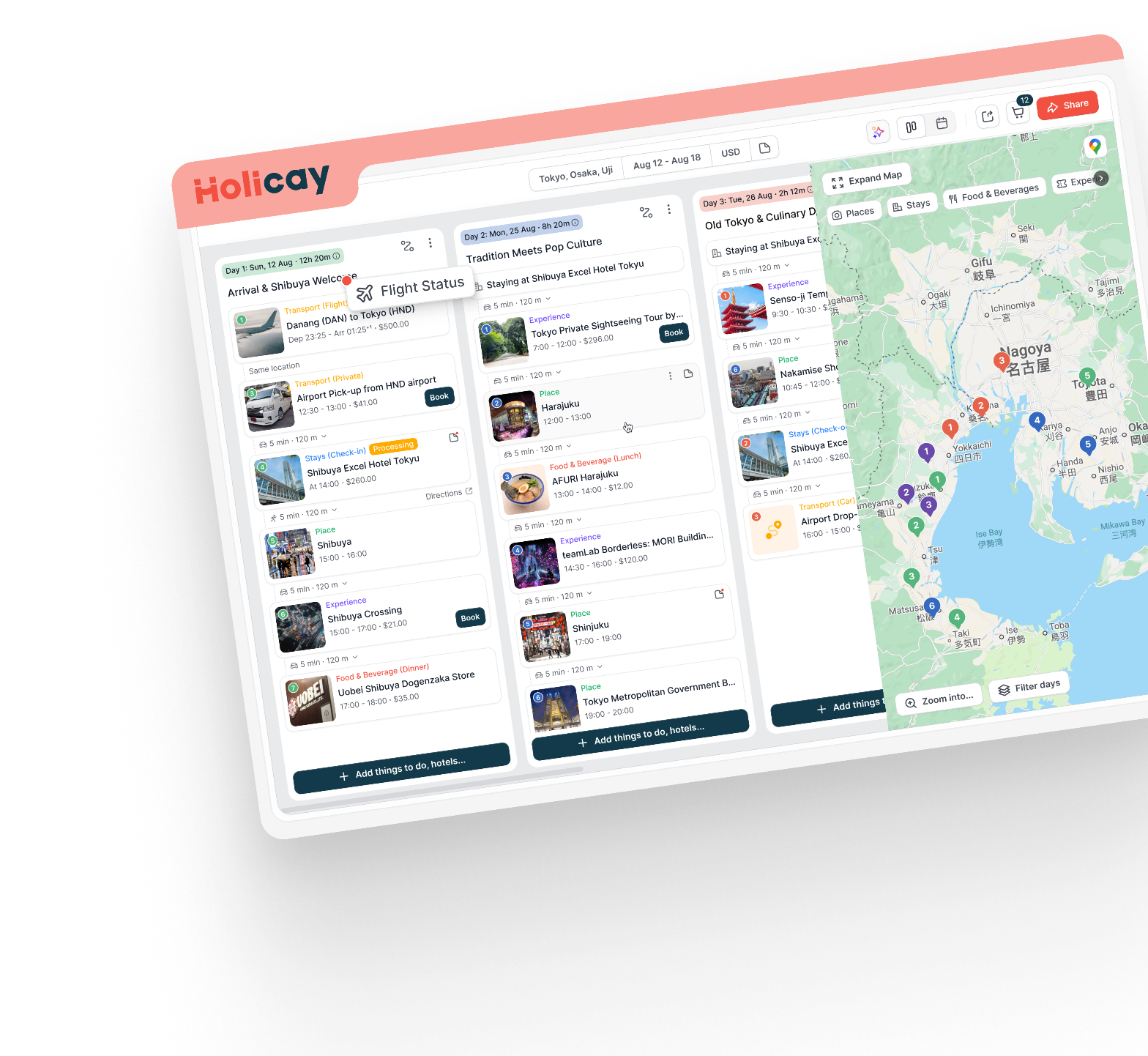
Holicay helps you structure how your day actually flows. For example, if you add locations across different parts of a city, you can reorder stops, group nearby places, and adjust based on realistic travel time.
Public transport is factored into this, so you are planning based on how long it actually takes to move between places. In addition, as a full fledged itinerary planner Holicay helps you automatically calculate the distance between every location added into the itinerary. This saves a lot of time from manually checking the distance between places on Google Maps individually.
.png)
Budgeting and expense splitting
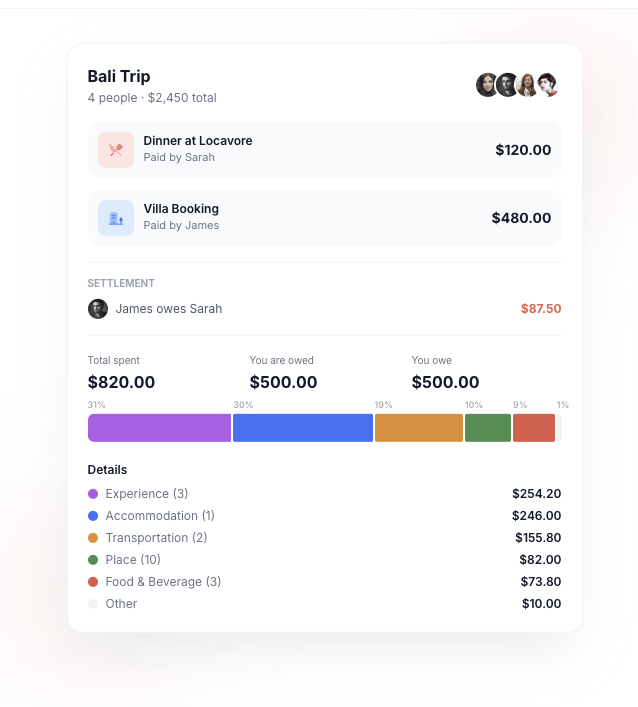
Holicay integrates budgeting directly into the trip. For example, a dinner expense can sit within a specific day, and a hotel cost can be tied to its stay dates. As expenses are added, costs can be split across travelers and balances update dynamically.
This allows you to see spending in context, not just as a total.
Google Sheets requires you to build your own budgeting structure and formulas, which can be tedious to maintain and update during the trip.
Shared notes, tickets, and trip details
Holicay connects notes, tickets, and booking details directly to the relevant parts of the itinerary.
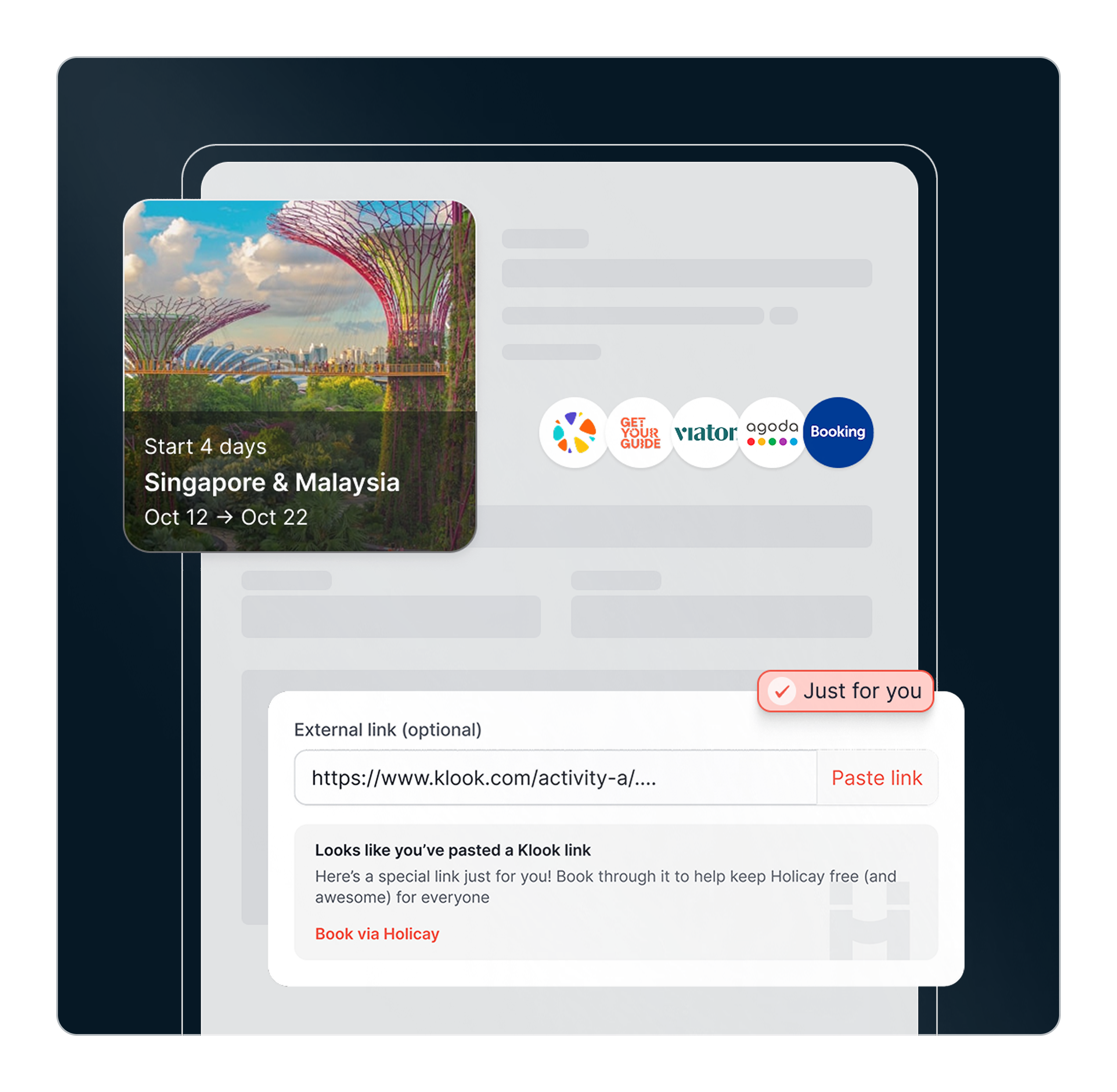
For example, forwarding a restaurant reservation email allows the system to extract details and attach them to that specific activity. The same applies to flights, hotels, and tickets. This means when you open a day or activity, the relevant information is already there.
With Google Sheets, you are often pasting links or text into cells, which can become cluttered and difficult to read on a mobile device while traveling.
.png)
Flight search and integration
Holicay treats flights as part of the planning process, not just something that appears after booking. When you are planning a trip, flights can be considered alongside the rest of your itinerary. Once selected or booked, they are integrated directly into the trip and tied to the relevant day.
This means your flight is not just a standalone detail. It influences how the rest of your plan is structured. For instance, your arrival time determines what can realistically be done on Day 1, and your departure time shapes how you plan your final day.
Once the booking is confirmed, Holicay syncs the details into the itinerary so everything stays connected. You are not switching between a flight app and your planner to understand how your day works.
When Holicay makes more sense
Holicay becomes the better tool when your trip involves more than just organizing bookings.
At the beginning, many trips are straightforward. You book a flight, confirm a hotel, and want to see everything in one place. But as the trip develops, additional layers start to appear. You begin deciding what to do each day, coordinating with other people, adjusting plans based on timing or delays, and keeping track of multiple moving parts beyond just reservations.
This is where the problem shifts from organizing bookings to managing the trip itself. Holicay is built around that stage.
In short, Holicay is designed for trips that go beyond confirmed bookings and require active planning and coordination.
Google Maps + Sheets = patching together your trip. Holicay = running your trip from one place.
Choose the workflow that matches how you actually travel.
Google Maps + Sheets
A flexible, do-it-yourself system.
- Strong for collecting ideas and organizing them manually
- Requires switching between multiple tools
- No unified trip view
- Fully manual setup and updates
Best for: Simple trips and manual planning
Holicay
A purpose-built trip management platform.
- Unified trip workspace (plan + bookings + logistics)
- Real-time coordination across group members
- Live updates (flights, weather, transport)
- Expense tracking and splitting
- Designed for both planning and during-trip execution
Best for: Replacing fragmented workflows